
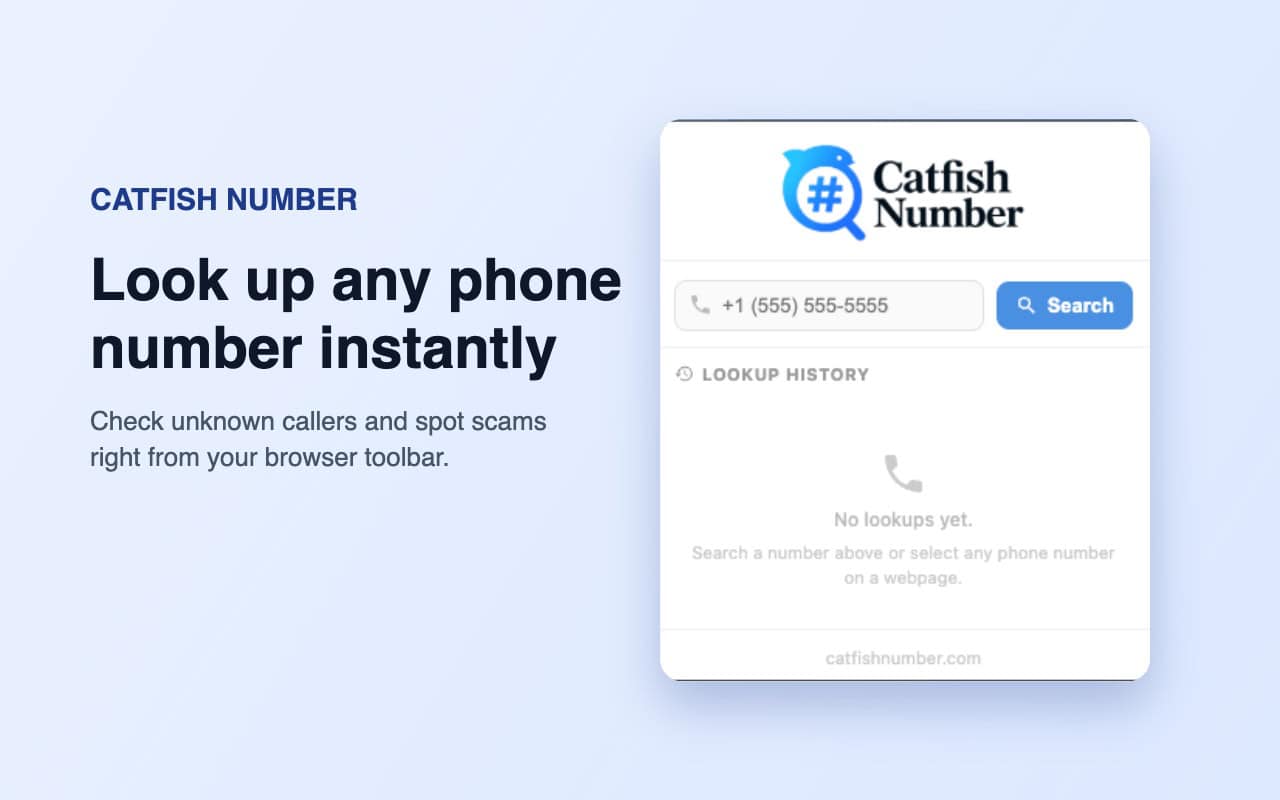
CatfishNumber Chrome Extension is now live!
If you want to make reverse phone lookup faster, use the CatfishNumber Chrome extension. With this simple browser add-on, you can search unknown phone numbers directly from Chrome or any Chromium-based browser.
Instead of copying a number, opening a new tab, and searching manually, you can highlight a phone number on any website and start a CatfishNumber reverse phone search in just a few clicks.
Use it to check unknown callers, suspicious numbers, online profiles, spam numbers, scam attempts, and phone numbers you find while browsing.
Download and Use CatfishNumber Chrome Extension
To install the CatfishNumber extension:
- Visit the Chrome Web Store
- Search for CatfishNumber Reverse Phone Lookup
- Click Add to Chrome
- In the pop-up window, click Add extension
- Pin the extension to your browser toolbar for faster access
Once installed, the extension will be ready to use whenever you see a phone number online.
The CatfishNumber extension gives you a faster way to search phone numbers while browsing.
Search by phone number selection
Highlight any phone number on a website, right-click, and choose the CatfishNumber lookup option.
You’ll be redirected to CatfishNumber, where the reverse phone search starts automatically.
Search from the extension popup
Click the CatfishNumber icon in your browser toolbar.
Enter or paste the phone number into the popup, then start your lookup.
Search detected phone numbers
When the extension detects a phone number on a webpage, you can use the extension action to open a reverse phone search faster.
This is useful when checking numbers from:
- Dating profiles
- Social media pages
- Classified ads
- Business listings
- Messages
- Emails
- Forums
- Unknown caller pages
- Suspicious websites
No extra steps are needed. Just select, click, and search.
What Can You Check With CatfishNumber?
CatfishNumber helps users search available phone number information and signals connected to a number.
Depending on the number, lookup results may help you check:
- Caller identity clues
- Phone number location
- Carrier information
- Line type
- Spam risk
- Scam-related signals
- Unknown caller details
- Possible online traces
- Whether a number looks suspicious
This makes the extension useful for quick checks before replying, calling back, or trusting a number you found online.
Why Use a Reverse Phone Lookup Extension?
A reverse phone lookup extension saves time.
Without the extension, you usually need to:
- Copy the phone number
- Open a new tab
- Visit a lookup website
- Paste the number
- Start the search manually
With CatfishNumber, the process is much faster.
You can search a phone number directly from the page you are already viewing.
This is especially helpful when you are researching unknown numbers, checking online profiles, reviewing messages, or trying to identify suspicious phone activity.
Permissions, Safety, and Browser Compatibility
What Permissions Does CatfishNumber Extension Use?
CatfishNumber only uses permissions needed for the extension to work inside your browser.
Common browser extension permissions may include:
Context menu access
This allows CatfishNumber to appear in the right-click menu when you select a phone number.
Active tab access
This allows the extension to work on the page you are currently using when you take action.
Tabs permission
This helps open the CatfishNumber lookup page in a new tab after you start a search.
Storage permission
This may be used to save basic extension settings or recent local activity inside your browser.
The extension is built to support reverse phone lookup actions, not to change your browsing experience.
Is CatfishNumber Chrome Extension Safe to Use?
Yes, CatfishNumber is designed as a simple reverse phone lookup browser tool.
The extension works only when you choose to use it, such as by selecting a phone number, opening the popup, or clicking the lookup option.
It does not need broad access to your personal files, passwords, payment data, or private accounts.
For safe use, always install the extension from the official Chrome Web Store listing and review the permissions before adding it to your browser.
What Browsers Does CatfishNumber Extension Work On?
CatfishNumber works on Google Chrome and most Chromium-based browsers.
Supported browsers may include:
- Google Chrome
- Chromium
- Brave
- Microsoft Edge
- Opera
- Opera GX
- Vivaldi
In most cases, if your browser supports Chrome Web Store extensions, you can install CatfishNumber.
Chrome extensions generally do not work the same way on Firefox or Safari because those browsers use different extension systems.
Chrome Extensions – Q&A
What are Chrome extensions?
Chrome extensions are small browser tools that add extra features to Google Chrome.
They can help with search, productivity, privacy, writing, password management, ad blocking, screenshots, shopping, research, and more.
Extensions usually appear as icons next to your browser address bar and can be installed from the Chrome Web Store.
Are Chrome extensions safe?
Chrome extensions can be safe, but it depends on the developer and the permissions requested.
Before installing any extension, check:
- Who developed it
- What permissions it asks for
- Whether it is listed on the Chrome Web Store
- Whether the permissions match the tool’s purpose
- Whether the extension has a clear privacy policy
For CatfishNumber, the purpose is simple: helping users run reverse phone number searches faster from the browser.
How do I install Chrome extensions?
In Google Chrome:
- Go to the Chrome Web Store
- Search for the extension
- Click Add to Chrome
- Confirm by clicking Add extension
In Microsoft Edge:
- Open the Chrome Web Store
- Enable extensions from other stores if prompted
- Click Add to Chrome
- Confirm the installation
In Brave, Opera, Vivaldi, and other Chromium browsers:
Most support Chrome extensions. Visit the Chrome Web Store and install the extension the same way.
Try CatfishNumber Chrome Extension
CatfishNumber Chrome Extension is now available on the Chrome Web Store.
Install it today and make reverse phone lookup faster, easier, and more convenient while browsing online.
Whether you are checking an unknown caller, a suspicious number, a dating profile, a classified ad, or a phone number found on a website, CatfishNumber helps you start the search in seconds.
Leave a Reply